GA4 vs Google Ads Discrepancy: 7 Critical Reasons Your Conversions Don’t Match
GA4 vs Google Ads discrepancy is one of the most common attribution issues facing marketing teams today.
You open Google Ads — it shows 128 conversions.
You open GA4 — it shows 91 conversions.
The CFO asks which number is correct.
The answer: both platforms are working as designed. The discrepancy is structural.
This guide breaks down the 7 real reasons a GA4 vs Google Ads discrepancy happens — and how to fix it correctly.
Table of Contents
- Different Attribution Models
- Conversion Window Mismatch
- Modeled Conversions
- Consent Mode Impact
- Tagging & Implementation Errors
- Cross-Domain Tracking Failures
- Conversion Import Conflicts
- When to Worry
- Architecture Fix
- FAQ
1. Different Attribution Models
The primary cause of a GA4 vs Google Ads discrepancy is attribution logic.
GA4 default:
Data-Driven Attribution
Google Ads default:
Last Google Ads Click
If a user:
- Clicks LinkedIn
- Later clicks Google Ads
- Then converts
Google Ads assigns 100% credit to its click. GA4 may distribute credit across multiple touchpoints.
Different math equals different totals.
This alone can create discrepancies of 5–20%.
2. Conversion Window Mismatch
Google Ads:
- 30-day click window (default)
- Optional view-through conversions
GA4:
- Event-based measurement
- No view-through conversions by default
If view-through conversions are enabled in Google Ads, Ads will typically report higher numbers.
This is a structural reporting difference, not an error.
3. Modeled Conversions
MoModern advertising platforms rely heavily on modeling.
Google Ads uses:
- Enhanced Conversions
- Conversion modeling
- Consent-based modeling
GA4 primarily reports observed events, with limited modeling depending on configuration and thresholds. When consent is denied or cookies are restricted, Google Ads may fill gaps using modeled data. That widens the GA4 vs Google Ads discrepancy over time.
4. Consent Mode & Privacy Suppression
If you operate in privacy-regulated markets such as:
Or in the EU under enforcement of Google then Consent Mode v2, analytics visibility may be impacted.
When users deny analytics storage:
The result is systematic divergence. This is becoming more common, not less.
5. Tagging & Implementation Errors
Not all discrepancies are structural. Some are technical.
Common implementation issues:
- Duplicate conversion tags
- GA4 event firing but Ads tag not firing
- Mismatched trigger conditions
- Parallel web + server tagging misalignment
- Incorrect deduplication logic
If you are running both a native Ads conversion tag and importing GA4 conversions, double counting is possible.
Review your configuration under:
- Google Ads → Conversions
- GA4 → Admin → Data Streams → Events
6. Cross-Domain Tracking Failures
If your funnel includes:
- Stripe checkout
- Shopify checkout
- Third-party booking engines
And cross-domain tracking is not properly configured:
- The GA4 session may break
- The gclid may still be captured by Google Ads
Google Ads then attributes the conversion. GA4 may lose session continuity. This is one of the most overlooked causes of large discrepancies.
7. Conversion Import Conflicts
There are two common setups:
A. Native Google Ads conversion tag
B. Importing GA4 conversions into Google Ads
Running both without strict governance can create inflation.
It is typically better to choose one primary conversion source. Once chosen, document it and control it.
When setting up conversion tracking architecture for our clients, we prefer utilizing GA4 conversion events and importing them into Google Ads and setting up custom goals.
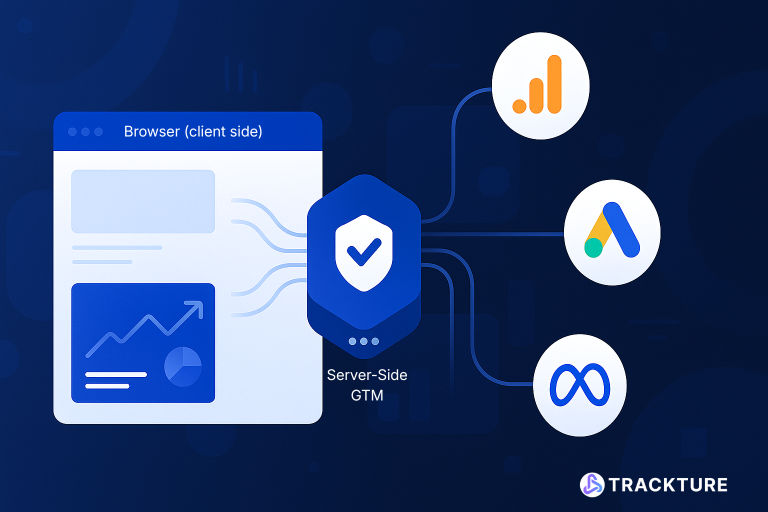
Unless the client specifically requests conversion specific Google tags for enhanced conversion requests, we lean heavily on Google Analytics integration with server-side tracking. If there are additional additional variables necessary for enhanced conversions, Trackture implements custom datalayer pushes to retrieve all dynamic variable elements.
For clean implementation strategies see:
- Trackture Server‑Side Tagging
- Trackture Conversion Tracking
- Trackture Google Consent Mode v2 Implementation
8. When Should You Worry?
When analyzing GA4 vs Google Ads discrepancy, there are percentages of risk tolerance.
- Normal discrepancy
- 5–15%
- Concerning discrepancy
- 20–30%
- Severe architecture problem
- 30%+
If the gap exceeds 30%, it usually indicates:
- Consent misalignment
- Duplicate tagging
- Broken cross-domain tracking
- Attribution model mismatch
9. Architecture Fix: Stop Patching, Start Designing
The solution to GA4 vs Google Ads discrepancy is not choosing a favorite platform. It is designing infrastructure correctly.
Correct architecture includes:
- Centralized event definitions
- Server-side tagging governance
- Consent-aware data routing
- Unified attribution window alignment
- Clear conversion import strategy
Server-side tracking improves control and reliability, but it does not eliminate mathematical differences. It reduces chaos. The GA4 vs Google Ads discrepancy is not a reporting error.
It is a reflection of:
- Attribution mathematics
- Privacy enforcement
- Modeling logic
- Technical implementation
If you cannot explain the difference clearly, you cannot optimize budget confidently.
For deeper documentation, review:
- https://support.google.com/analytics/answer/10597962
- https://support.google.com/google-ads/answer/6239363
FAQ: GA4 vs Google Ads Discrepancy
Subscribe to Signal
Register with Trackture to never miss an update from Signal.